Business, IT and Moonbase, on one line.
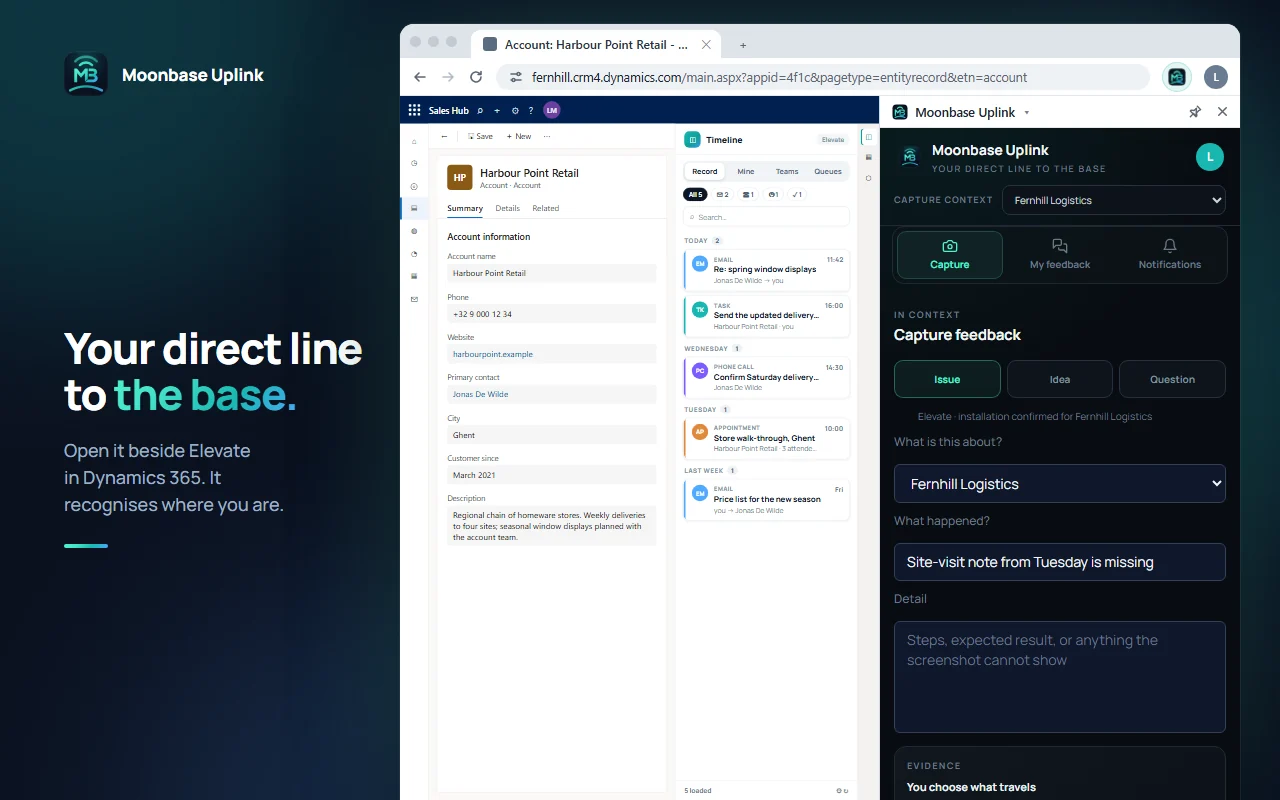
Your direct line to the base. Send issues, ideas and questions to Moonbase from the page you're on, with an annotated screenshot and the page context, and follow every reply in your Moonbase Portal. Your people, your IT team and Moonbase see the same thread, so there are fewer back-and-forth questions.
Close the distance, and things get fixed sooner.
An issue spotted in the business usually travels: from the person who saw it, to IT, to the supplier, retold at every step. Uplink takes that distance out. Every report arrives with its context: an annotated screenshot, the page address and the technical details needed to reproduce it. Your IT people and Moonbase pick it up from the same thread in your Portal. Fewer back-and-forth questions, faster answers. Narrowing the distance between the people using the software, their IT team and Moonbase is one of the ways we add value and take cost out.
From the page you're on, to the base, and back.
It arrives in context, in one place, and you follow it through.
Open
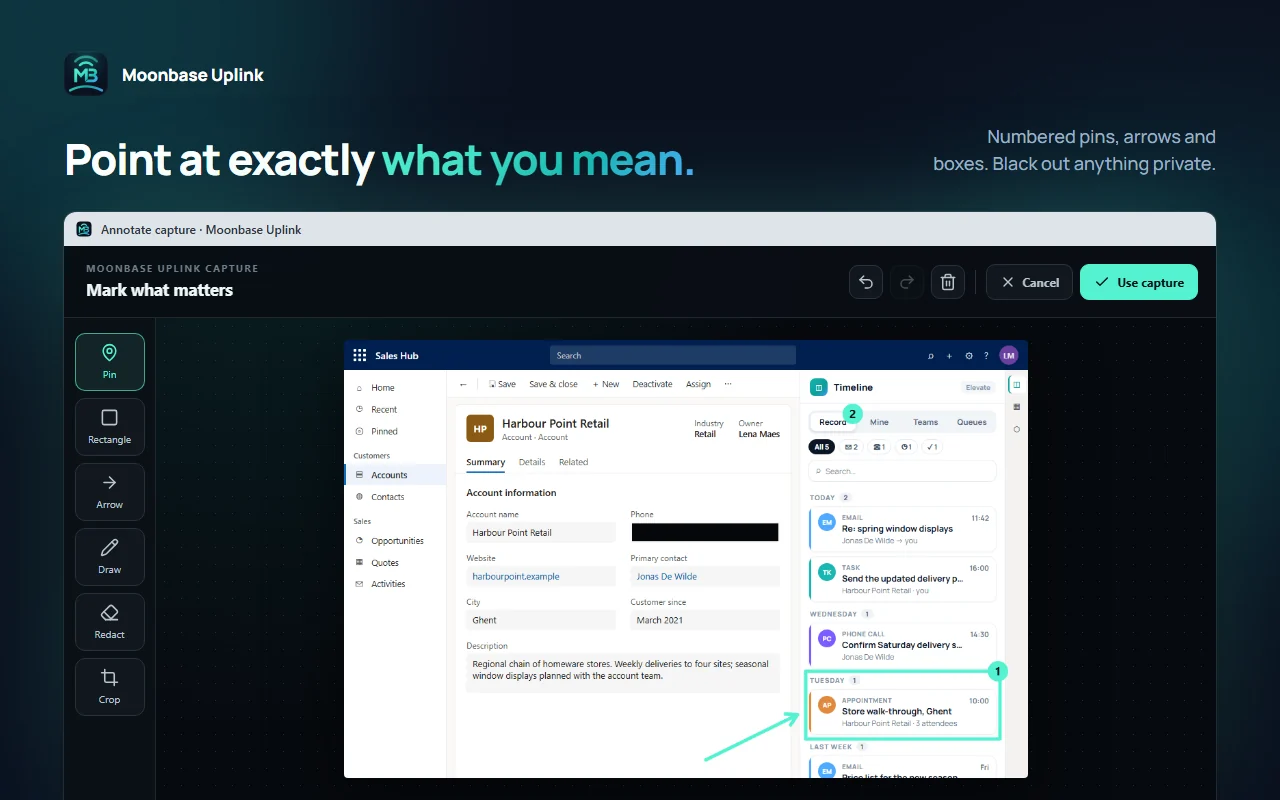
Open Uplink in Chrome's side panel, beside the page you're on.
Choose
An issue: something doesn't work as it should. An idea: something that would make work easier. A question: something you'd like to understand.
Point
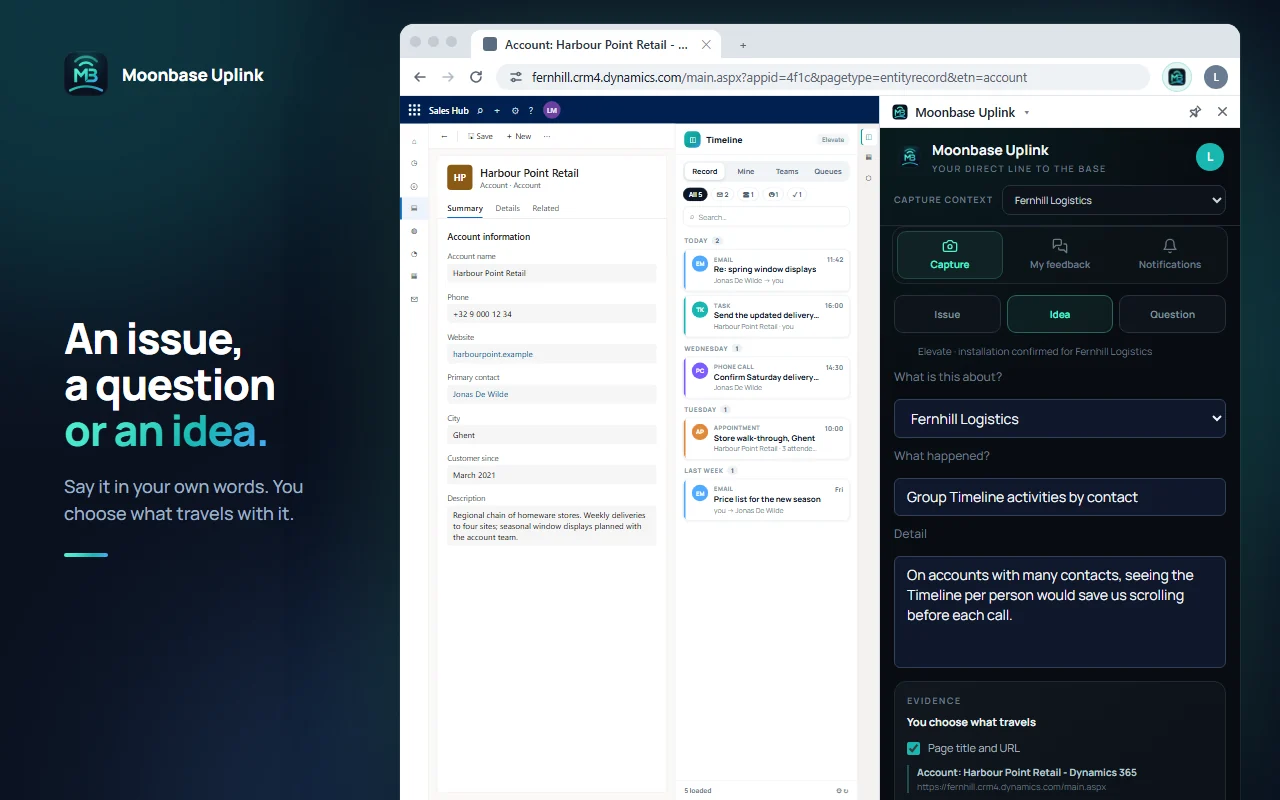
Capture the page and mark it up with pins, arrows and boxes. Black out anything private.
Send
It goes to Moonbase with the page address and the technical details needed to reproduce it.
Follow
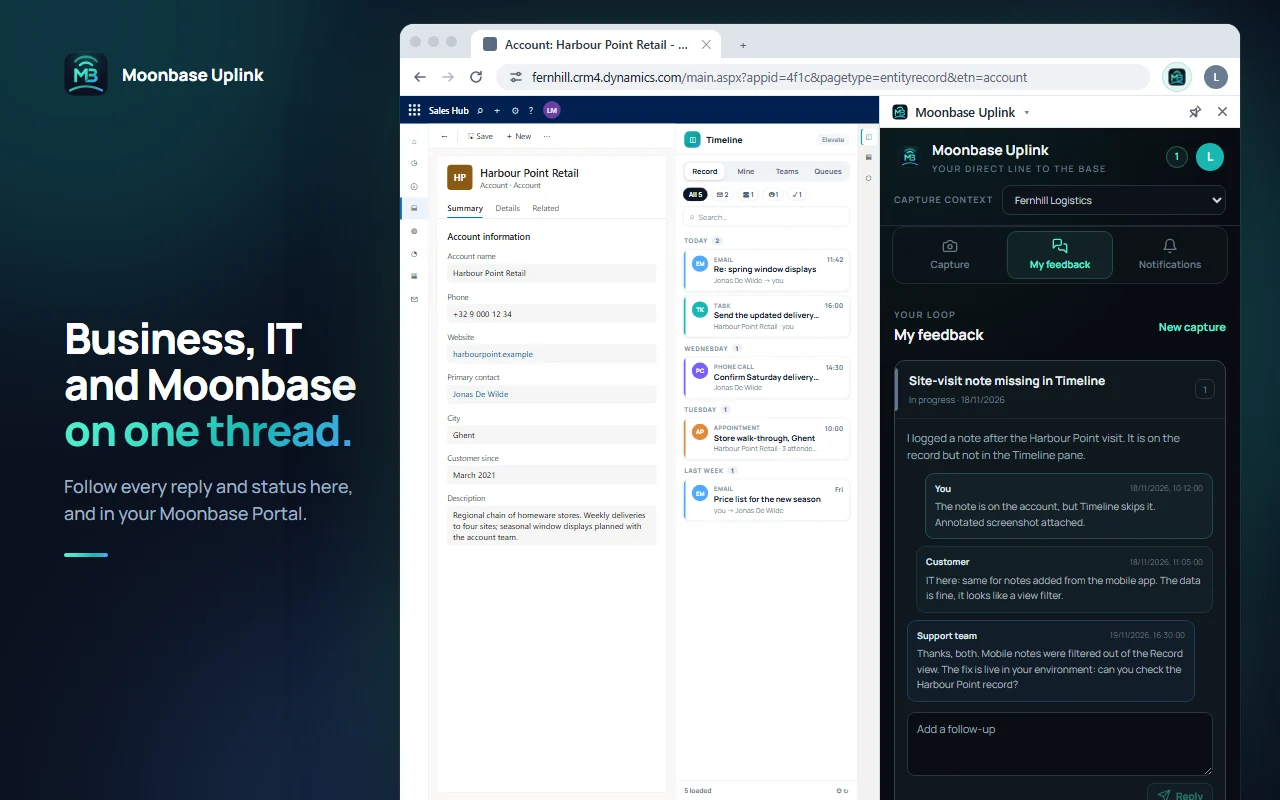
It lands in your Moonbase Portal. Uplink shows its status and lets you know when there's a reply.
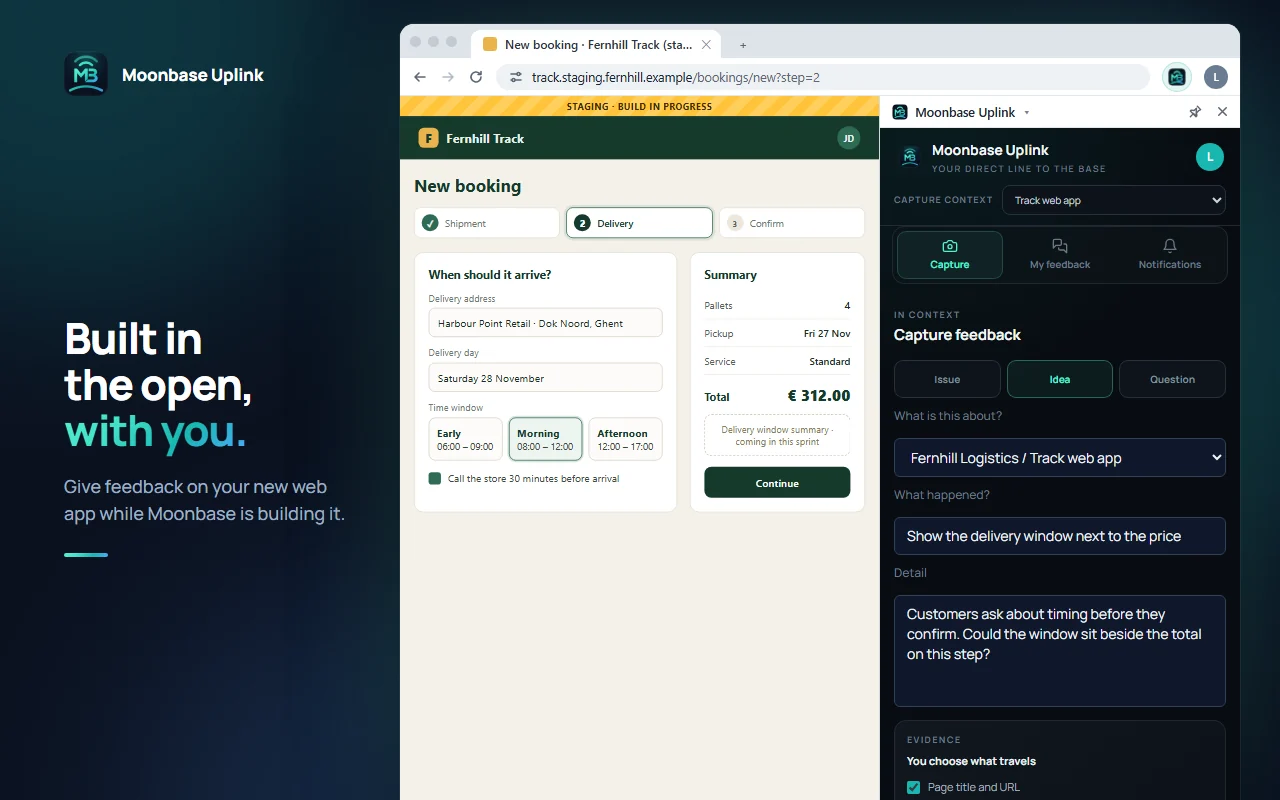
Wherever you work with us.
Uplink opens in Chrome's side panel, beside the page you're on.
Inside Dynamics 365
Working in Elevate? Uplink recognises Elevate's module, app and version and sends them with your report, so it reaches the right people at Moonbase without a round of questions.
In your apps, built OnMarble
A report on an app built OnMarble goes straight to the team behind the platform, with the app and the page it came from.
Web apps Moonbase built for you
On a web app Moonbase built, or is building, for you, send what you see while you test or use it. It reaches the Moonbase team on your project with the page it's about, so nobody has to describe where it happened.
It sees only what you choose to send.
Only when you choose
Uplink looks at a page only when you open it and choose to capture. It doesn't track your browsing.
Secrets stay out
Passwords and tokens are removed before anything is sent. On the screenshot, you black out anything private.
Only to Moonbase, encrypted
Reports travel encrypted to Moonbase's own service in the EU. They're visible to you, your organisation's authorised colleagues and the Moonbase team.
Moonbase sign-in
You sign in with your Moonbase account. The server decides what you can see and send, on every request.
Context, attached
The screenshot, the page address and the technical details travel with your report. Console messages travel only when you choose to record them.
Followed through
Reports land in your Moonbase Portal. Uplink shows their status and lets you know when there's a reply.
What Uplink collects, where it goes and how long it's kept: read the privacy policy.
Part of working with us.
Included.
Uplink is for Moonbase customers. It comes with Elevate and with your delivery project: sign in with your Moonbase account and it's ready.
Part of Elevate support
Uplink comes with the support included in Elevate, next to the knowledge base and your support cases in the Portal.
One line: to us
Uplink sends to Moonbase and nowhere else: a direct line to the people who build and support your software, not a general-purpose capture tool. How quickly we answer follows your support package.
 Moonbase Uplink for Chrome
Delivered in the open is how we work. Uplink is how you speak into it: your business, your IT and Moonbase, on one line.